Forward an email. Get an itinerary.
Forward booking emails to build a shared timeline. Flights, stays and activities, in order and available offline.
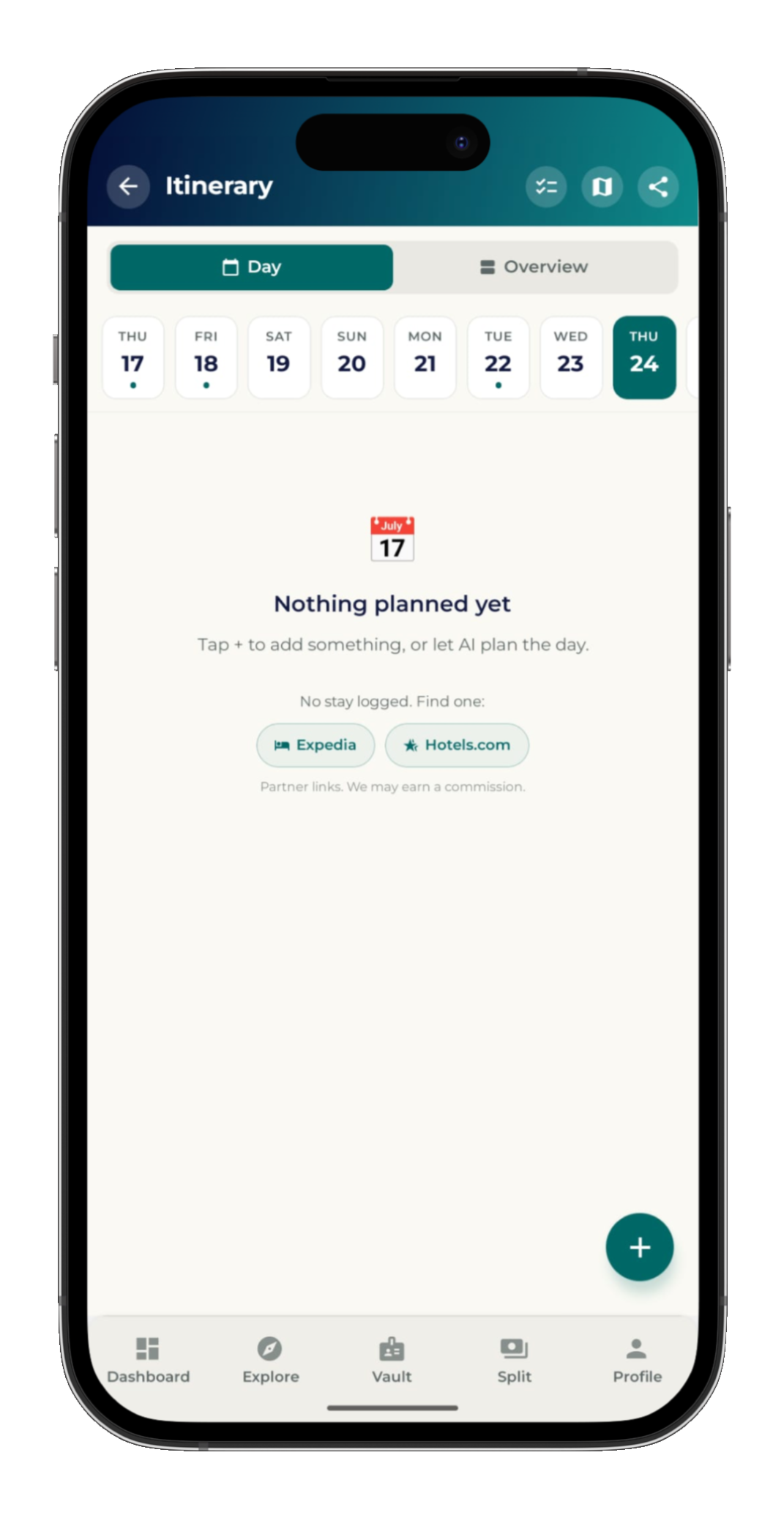
It reads the email so you don't.
Flights, hotels, liveaboards, transfers, dive operators, activities. Forward the confirmation and Venture pulls the times, places and reference numbers onto the timeline. The thing you'd have spent an evening copying into a spreadsheet takes a forward.
- Forward any confirmation to your trip
- Times, places and refs placed automatically
- Tweak anything by hand when you want to
Everyone sees the same plan.
No more pasting the routing back into the group chat because someone joined late. One invite link and the whole crew is on the same timeline. Add a transfer or move a dinner and everyone gets the update.
- One link puts the group on the timeline
- Changes notify the whole crew
- Late joiners see the full plan, not 200 messages
How Venture handles flights
Flights are usually the first thing booked and the last thing anyone can find. Forward the airline confirmation, or import a photo, screenshot or PDF of it, and Venture reads the flight numbers, airports, terminals and times and puts each leg on the trip timeline in order. Connections stay in sequence, and the whole group sees the same legs without anyone pasting a routing back into the chat.
Because the timeline works offline, the flight details are still there at the gate when the airport wifi will not load and your inbox will not open. Everything imported stays editable, so a changed seat, a new reference or a rebooked leg can be corrected by hand in seconds.
What Venture does not do with flights
Venture does not track flights in real time. There are no live gate changes, no delay push alerts and no terminal maps. Flights sit on the timeline with their scheduled times, and if a flight moves you update it yourself or forward the airline's change email and Venture updates the leg. If real-time disruption alerts are the single feature you need, a dedicated flight tracker alongside Venture is the honest answer today.
Everything Venture does do is free, on iPhone and Android, with no subscription and no trip limits. See how that works, or compare the whole picture against TripIt.
The itinerary, answered.
How does Venture build an itinerary from email?
Forward a flight, hotel, liveaboard or activity confirmation to your trip and Venture reads the details and drops them onto the timeline in the right order. No copy-paste or manual entry.
Can the whole group see the same itinerary?
Yes. One invite link puts everyone on the same timeline, and the group is notified when anything is added or changes.
Does the itinerary work offline?
Yes. Your timeline is available offline, so it's there at the gate, on the boat or anywhere with no signal.
What if the confirmation isn't an email?
Import a photo, screenshot or PDF of it instead. Venture reads the file and pulls out the same details, so a booking that only exists as a paper voucher or a screenshot still lands on the timeline.
Does Venture track flights in real time?
No. Venture places your flights on the timeline with their scheduled times, but it does not send live delay or gate-change alerts. Forward the airline's change email and Venture updates the leg, or edit it by hand.
Explore the rest of Venture.
Expense splitting
Split pre-trip and on-trip costs with live balances and one settle-up.
Document vault
Passports, visas, certs and insurance, per person and offline.
Packing lists
Activity-aware lists for dive, ski and overland trips.
Group coordination
One invite link puts the whole crew on the same plan.
Build your next trip from your inbox.
Venture is free on iPhone and Android. No subscription, no credit card.